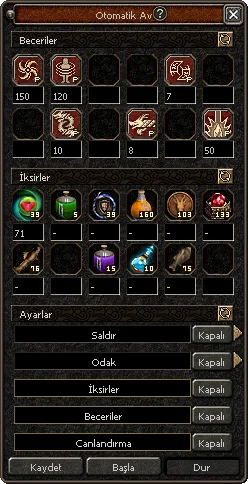

Auto-Hunting is a convenience system that automatically targets monsters, bosses, and metin stones around your character and attacks those that come within range. When set up correctly, it drinks your potions, uses your skills, revives you if you die, and continues hunting without you having to wait by the screen. Below we discuss the free and premium sides of the system, all setting options, and tips for efficient use step by step.
What does Auto-Hunt do?
- Auto-Hunt allows your character to automatically attack monsters, bosses, and metin stones (Premium) within a specified range. As targets enter its range, your character starts hitting them automatically.
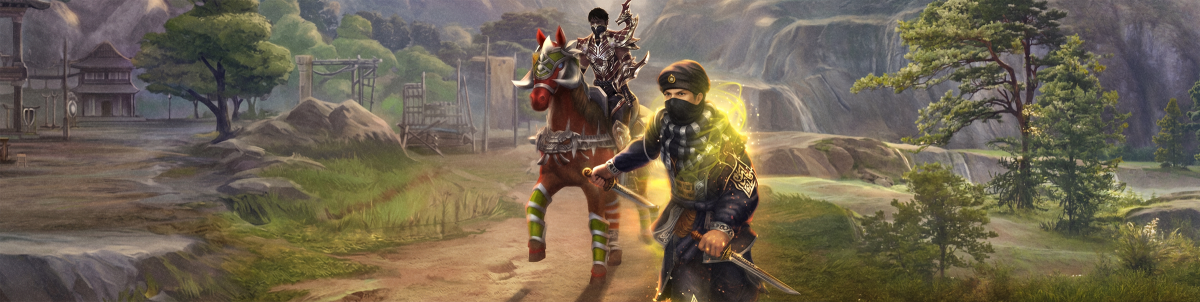
- The system can also be used while on horses and mounts. However, when on a mount, only horse skills work; your character's other skills are disabled.
- While Auto-Hunt is on, the character can use their skills; consume all potions, grilled fish, Dragon Medals, and Energy Crystals. (This feature is tied to Premium, which we separate right below.)
- To open the Auto-Hunt window, you can open the Quick Menu button and click, or press the K key.
Information
On new generation mounts (Surfboard) like Wukong's Wrath, the situation is reversed: skill usage is active, whereas horse skills cannot be used.
Standard Auto-Hunting
You do not need anything to use standard auto-hunting. It is completely free. By opening the auto-hunt window, it can be started directly using the Attack and Focus options.
Premium Auto-Hunting
To use premium auto-hunting, you need the Auto-Hunt item. The Auto-Hunt item can have different durations. When the item is used, Premium Auto-Hunt becomes valid for all characters on that account.
While the Premium version is active, an icon appears in the character status icons, indicating that premium features are on.
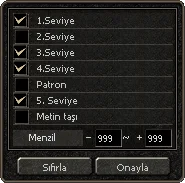
About Auto-Hunt Settings
- You adjust the usage frequency of potions and skills by changing the "seconds remaining for next use" value under each icon.
- If you see a "–" sign instead of seconds under an item, that item is only used when it becomes reusable again; the system adjusts this itself. For example, the Dragon Medal is only activated again when the effect of the previous use wears off.
- If there are no metin stones or boss-class monsters on the map where you will hunt, you can uncheck these options and start the system that way; there is no harm in it. If another player spawns a metin stone or boss, your character won't attack it, it will only defend itself if attacked.
- Health potions do not have a specific duration of use; you only set at what life percentage they will be activated. For example, when your HP or SP value drops below 50%, the relevant potion is used automatically. If you set this threshold to 90%, the potion kicks in as soon as HP/SP drops below 90%.
- If the Red Potion (XL) is placed before the Blessing of Life potion, your character may continue to use the Red Potion (XXL) instead of the Blessing of Life. In short, the order directly determines which potion will be prioritized.
Quick Start